Last updated: 9 September 2026. Tested on evisa.gouv.dj on 5 September 2026. Information compiled from the evisa.gouv.dj portal, a 76-reply TripAdvisor thread on Djibouti e-visa issues, and Passlens photo upload guidance (updated 25 May 2026).
If your Djibouti eVisa document upload has failed, first check that the file is in an accepted format (JPEG or PDF) and under the portal’s size limit. Resize blurry passport photos to at least 600 × 600 pixels, rename the file without special characters, and try uploading again in Google Chrome. If the error persists, clear your browser cache, ensure a stable internet connection, and contact [email protected] with your application reference number.
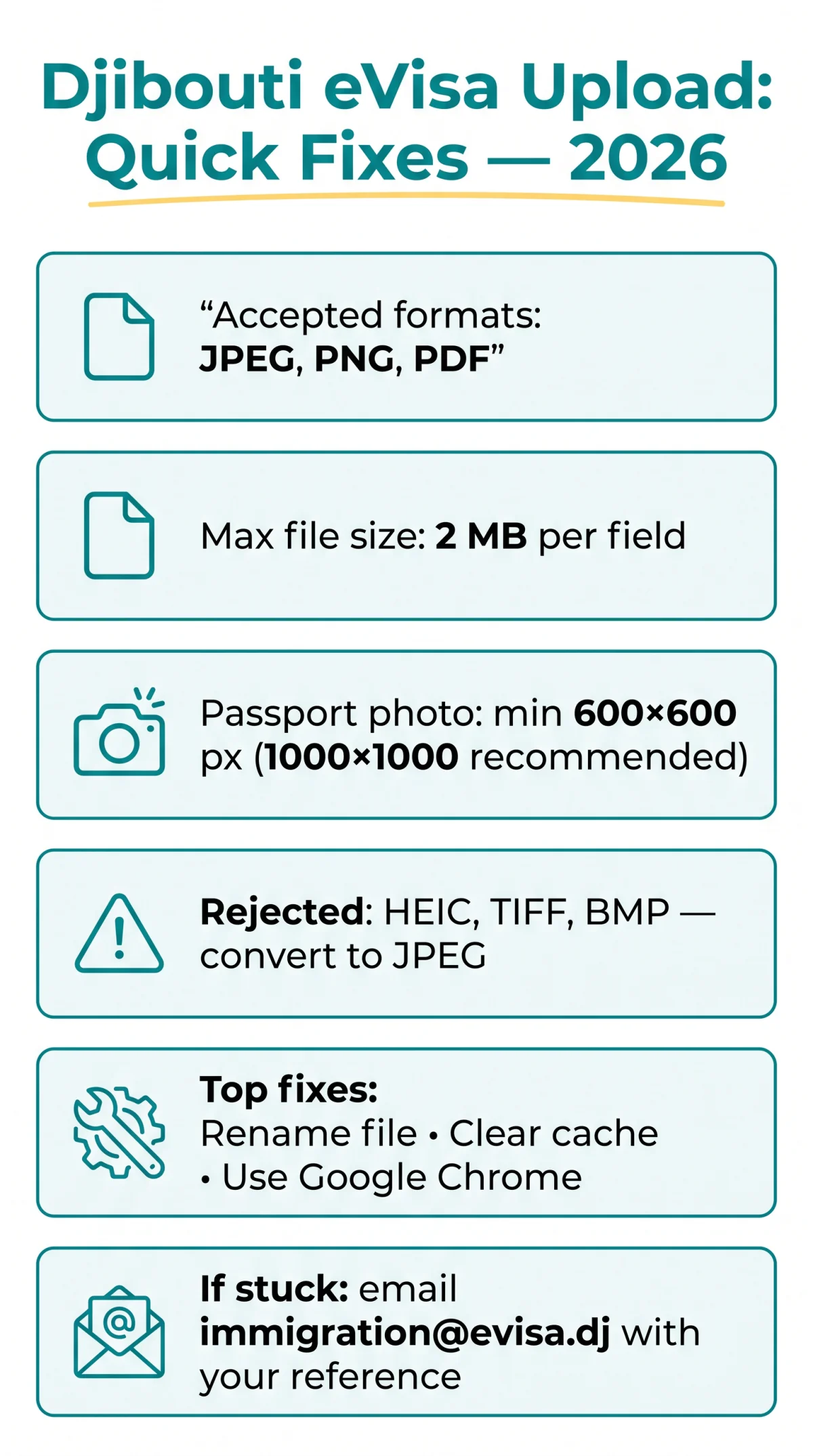
The most common causes of a Djibouti evisa document upload failed error are wrong file format, oversized file, or blurry photo. The portal accepts JPEG, PNG, and PDF files under 2 MB per field. Re-upload in Google Chrome to avoid silent browser failures during your 2026 application.
Accepted File Formats, Size Limits, and Photo Dimensions for the Djibouti eVisa Portal
The Djibouti eVisa portal accepts JPEG, JPG, PNG, and PDF files up to 2 MB per field; passport photos require a minimum 600 × 600 pixels and a plain white background.
| Upload Field | Accepted Format(s) | Max File Size | Photo Dimensions |
|---|---|---|---|
| Passport bio page | JPEG, PDF | ≤ 2 MB | N/A |
| Passport photo | JPEG | ≤ 2 MB | 600 × 600 px min; 1000 × 1000 px recommended (square) |
| Supporting documents | JPEG, PNG, PDF | ≤ 2 MB | N/A |
HEIC, TIFF, and BMP are rejected by the Djibouti eVisa upload system. Convert HEIC to JPEG; use PDF for multi-page hotel bookings, JPEG for photos. UK passport holders follow the same file specifications as all other nationalities.
Always use https://www.evisa.gouv.dj/#/ and never the non-secure http://www.evisa.gouv.dj URL, which can cause upload errors.
Djibouti eVisa Passport Photo Requirements – Fixing Blurry Photos and Common Rejections
Djibouti eVisa passport photos must be JPEG on a plain white background with even lighting, a centred face, and at least 600 × 600 pixels.
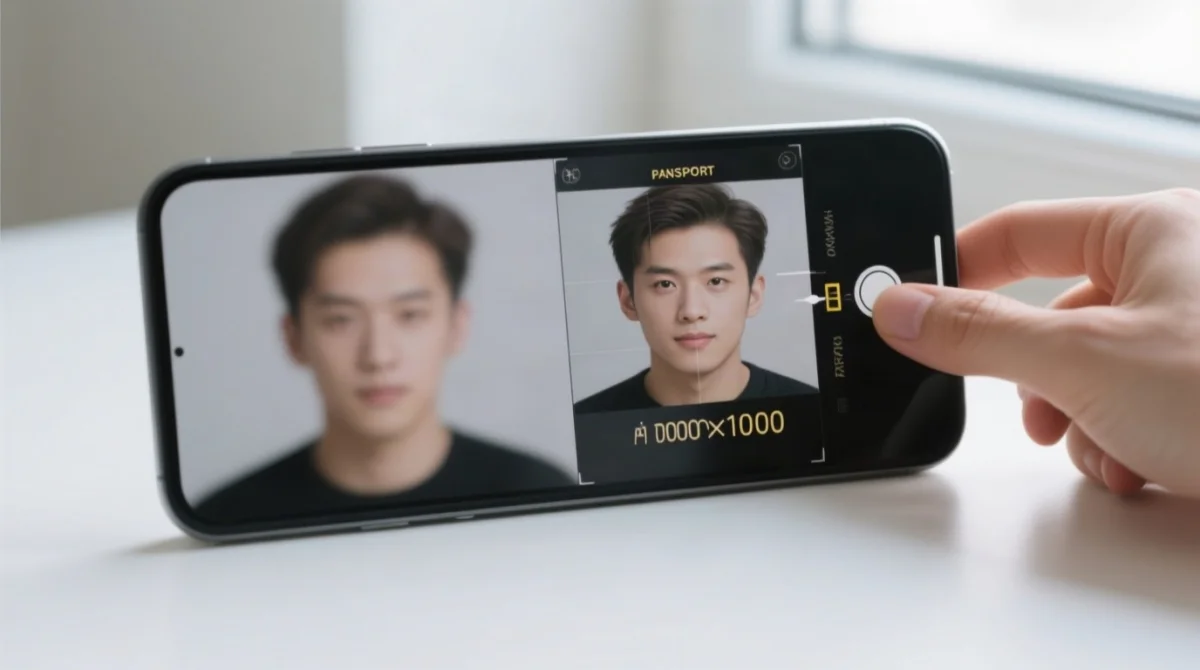
Retake the photo in portrait mode
50 cm from your face, in natural daylight – avoid overhead or window backlight. Minimum 600×600 px; recommended 1000×1000 px square.
Use a plain white or light background
No patterns or shadows.
Ensure even natural lighting
No backlight or harsh overhead sources.
Resize the image to 1000 × 1000 pixels
Use a free online tool.
Compress the file once
Stay under the portal’s per-field size limit.
Zoom to 200% on a desktop screen
Verify sharpness before uploading.
Repeatedly saving a JPEG degrades image quality through compression artefacts – always export from the original file. The Djibouti eVisa upload system does not accept HEIC, so convert iPhone photos to JPEG before uploading. Files shared through WhatsApp or Messenger lose resolution; use the original file or a direct export instead.
Step-by-Step Troubleshooting for Djibouti eVisa Upload Errors and Browser Issues
Map the error message: “wrong format” → check JPEG/PDF/PNG; “file too large” → compress below 2 MB; “blurry” → retake at 600×600 px. Then verify format and size, rename without special characters, clear cache, switch to Google Chrome, and retry.
Map the error message
“wrong format” → check JPEG/PDF/PNG; “file too large” → compress below 2 MB; “blurry” → retake at 600×600 px.
Confirm your file format
JPEG, PDF, or PNG – HEIC, TIFF, and BMP are rejected.
Check the file size
Must not exceed the per-field size limit (500 KB-2 MB).
Convert HEIC to JPEG
Use your device’s Photos app or a free online converter.
Compress oversized files
Use iLovePDF or Smallpdf (free third-party tools we have tested; we do not receive commission for linking to them).
Rename the file
Strip spaces, accents, and special characters. Use the PassportPhoto_LastName.jpg template.
Clear your browser cache
Log out and back in to reset the upload session.
Switch to Google Chrome
Safari and WebKit browsers may freeze the upload button due to JavaScript issues.
Keep the default French interface
The portal’s language switcher is non-functional and can break upload scripts. Use Chrome’s right-click “Translate to English” instead.
Contact Djibouti eVisa support
If still failing, see the next section for contact details.
The Djibouti eVisa portal silently expires idle sessions, causing uploads to fail without a visible error. Upload on a stable wired or Wi-Fi connection, avoid tab-switching, and upload one document at a time. If you have already paid and the upload fails, the portal allows a post-payment retry: log back in with your reference number to resume the document submission step.
Djibouti eVisa Documents Rejected: How to Contact Support and Visa on Arrival
Rejection occurs at upload (format/size/quality) or review (legibility, passport validity <6 months, wrong document field). For persistent Djibouti eVisa upload failures, email [email protected] with your application reference number, full name as on your passport, a description of the error, and the corrected document attached.
Subject: Document Upload Failed - Application Ref [YOUR REFERENCE NUMBER]

Dear Djibouti eVisa Support,

I am writing to report a failed document upload on my e-visa application
(Reference: [NUMBER]). The error occurred when uploading [document type].
The portal displayed [error message or "no visible error"].

I have attached the corrected document in JPEG format, [X] KB in size.
My passport number is [NUMBER].

Please advise on next steps or confirm resubmission.

Kind regards,
[Full name as on passport]
[Email address]
For faster assistance, submit a ticket via www.joinsherpa.com – an independent platform not affiliated with or funded by any government agency. If personal data is wrong on an issued Djibouti eVisa, Sherpa states a new eVisa may be required; file a correction request before your travel date.
UK applicants facing related UKVI issues (separate from Djibouti) can call the UKVI Contact Centre at +44 (0)300 790 6268 or +44 (0)203 875 4669 (select Option 3; Mon-Fri 8am-8:30pm, Sat-Sun 9:30am-4:30pm), use the Home Office web-chat (general info only), or use the GOV.UK error reporting service (standard cases within 5 working days, complex within 15 working days).
If the Djibouti eVisa portal remains unusable, a visa on arrival is available at Djibouti-Ambouli International Airport for USD 90, processed in 20-45 minutes at the immigration desk. Bring a valid passport, passport photo, proof of accommodation, and return flight booking.
| Application channel | Fee | Processing time |
|---|---|---|
| eVisa online portal | USD 120 | Within 3 working days |
| Embassy in Addis Ababa | USD 90 | 48 hours |
| Visa on Arrival (airport) | USD 90 | 20-45 minutes |
| Emergency embassy processing | USD 800+ | Same day (subject to availability) |
Djibouti eVisa Upload Errors: FAQ
What file formats does the Djibouti eVisa portal accept?
JPEG, JPG, PNG, and PDF. HEIC, TIFF, and BMP are not supported. Convert HEIC to JPEG before uploading.
What is the maximum file size for Djibouti eVisa documents?
Each upload field accepts files up to approximately 2 MB. Compress with iLovePDF or Smallpdf if exceeded. Passport photos must also be at least 600 × 600 pixels.
Why was my passport photo rejected on the Djibouti eVisa application?
Blurry photo, wrong background, poor lighting, dimensions <600×600, or HEIC. Retake in daylight, plain white background, resize to 1000×1000.
How do I fix a file-too-large error on the Djibouti eVisa portal?
Compress the file online, resize images to 1000 × 1000 pixels, or convert PNG to JPEG to reduce file size.
Can I upload a multi-page PDF for my hotel booking on the Djibouti eVisa form?
Yes, merge all booking pages into a single PDF before uploading. Do not upload separate page images.
What should I do if my Djibouti eVisa documents are rejected after submission?
Email [email protected] with your reference number and corrected document, or submit a Sherpa support ticket.
Does the Djibouti eVisa upload work on mobile phones?
The portal works on mobile browsers, but Safari on iOS may freeze the upload button. Use Google Chrome for the most reliable experience.
Is there a visa on arrival option if my Djibouti eVisa upload keeps failing?
Yes. Djibouti offers visa on arrival at Ambouli International Airport for USD 90, processed in 20 to 45 minutes. Bring a valid passport, photo, accommodation proof, and return flight booking.
What passport validity is required for a Djibouti eVisa?
Your UK passport must be valid for at least six months beyond your intended entry date into Djibouti. The portal scanner may reject documents below this threshold.
How long does it take to get a response from Djibouti eVisa support?
Email responses from [email protected] typically arrive within 2 to 5 business days. Sherpa support tickets may be processed faster. Apply at least 15 days before your trip.