Last updated: 9 September 2026. A djibouti evisa payment failed error typically occurs due to a bank-side fraud block, expired 3D Secure authentication, or a browser session timeout. To fix it, contact your bank to authorise the international transaction, retry in Google Chrome with JavaScript enabled and VPN/AdBlock disabled, and use a Visa or Mastercard credit card.
A Djibouti evisa payment failed error means the system could not collect or confirm the fee, not that your visa was rejected. The only Djibouti government e-visa portal is evisa.gouv.dj; never share your card details on any other site. This is an independent information resource and does not collect personal data.
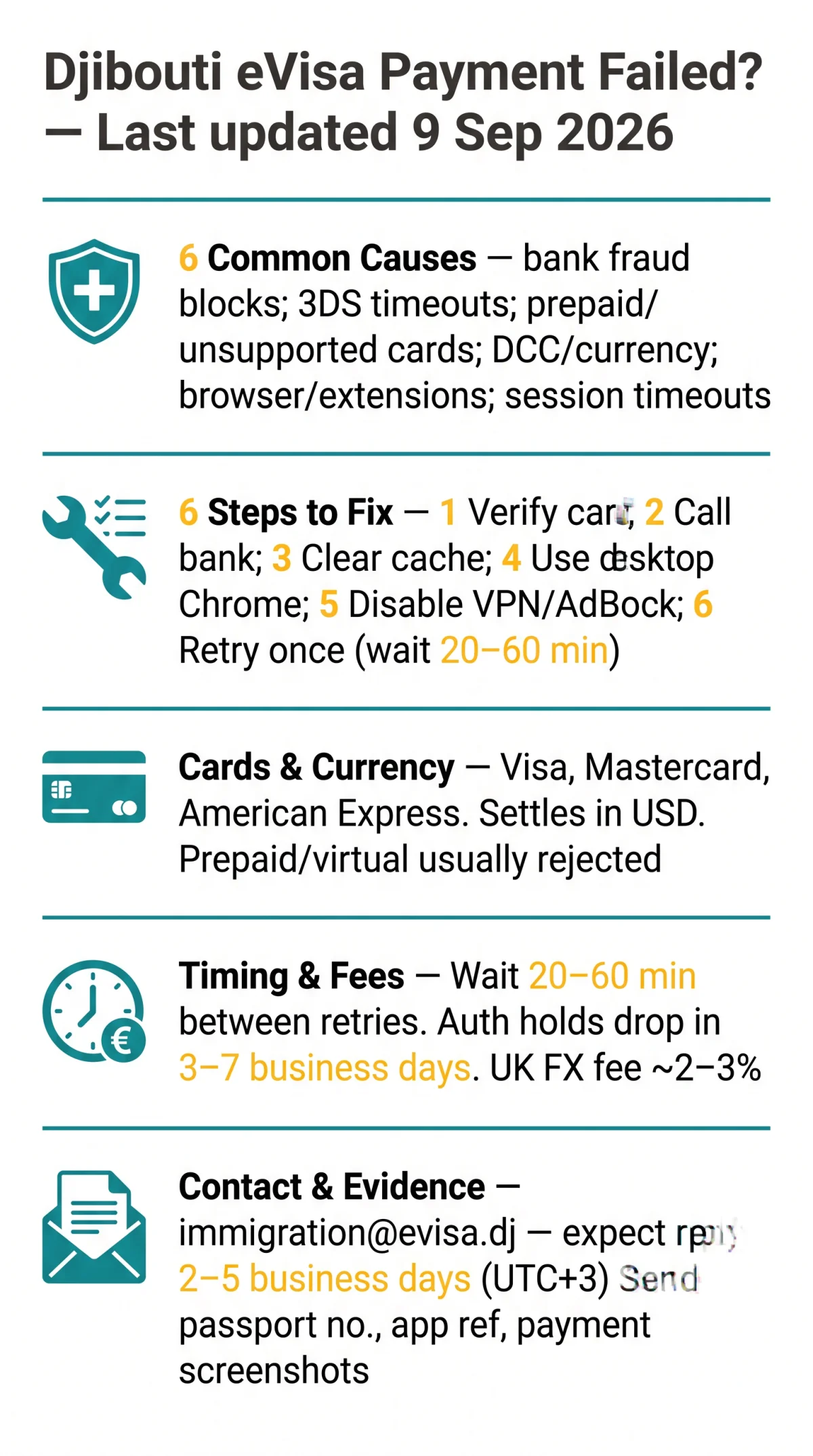
Why Your Djibouti eVisa Payment Failed: Common Root Causes
Djibouti eVisa payment failures trace to six root causes: bank fraud blocks, 3D Secure timeouts, unsupported card types, currency mismatches, browser interference, and session expirations on the Djibouti government’s e-visa portal (evisa.gouv.dj).
| Error symptom | Likely cause | Responsible party |
|---|---|---|
| “Transaction declined” | Bank fraud block on cross-border merchant | Issuing bank |
| “Authentication failed” | 3D Secure (3DS) verification incomplete | Card network / EMVCo standard |
| Blank page / spinning wheel | Session timeout or gateway timeout | Portal / payment gateway |
| “Card not supported” | Prepaid card excluded by portal | Djibouti e-visa portal |
| Unexpected total amount | USD settlement triggering FX conversion | Card issuer |
Bank-Side Declines and Fraud Alerts
UK-issued cards are frequently declined because banks flag Djibouti-based merchants as high-risk cross-border transactions. The merchant descriptor on your bank statement may read “DJIBOUTI” or “E-VISA”; if unrecognised, your bank may auto-block it as fraud. Request the transaction decline reason code from your bank before retrying. In one reported case, a London traveller attempted payment almost 15 times across 5 different cards before discovering a geographic block on Djibouti merchants; after calling the bank to remove the block, the payment succeeded on the first retry.
Card Type, Currency & Fee Issues for UK Applicants
The Djibouti eVisa portal accepts Visa, Mastercard, and American Express and settles in USD. UK cardholders face a foreign transaction fee (typically 2 to 3%) and dynamic currency conversion (DCC) surcharges that can push totals past your card limit. Prepaid cards are excluded. Billing address verification (AVS) must match your bank records exactly; mismatches trigger declines. 3D Secure standards governed by EMVCo must complete successfully.
How to Fix a Djibouti eVisa Payment Failed: Step by Step
Resolve a declined Djibouti eVisa payment by following these six steps for UK cardholders.
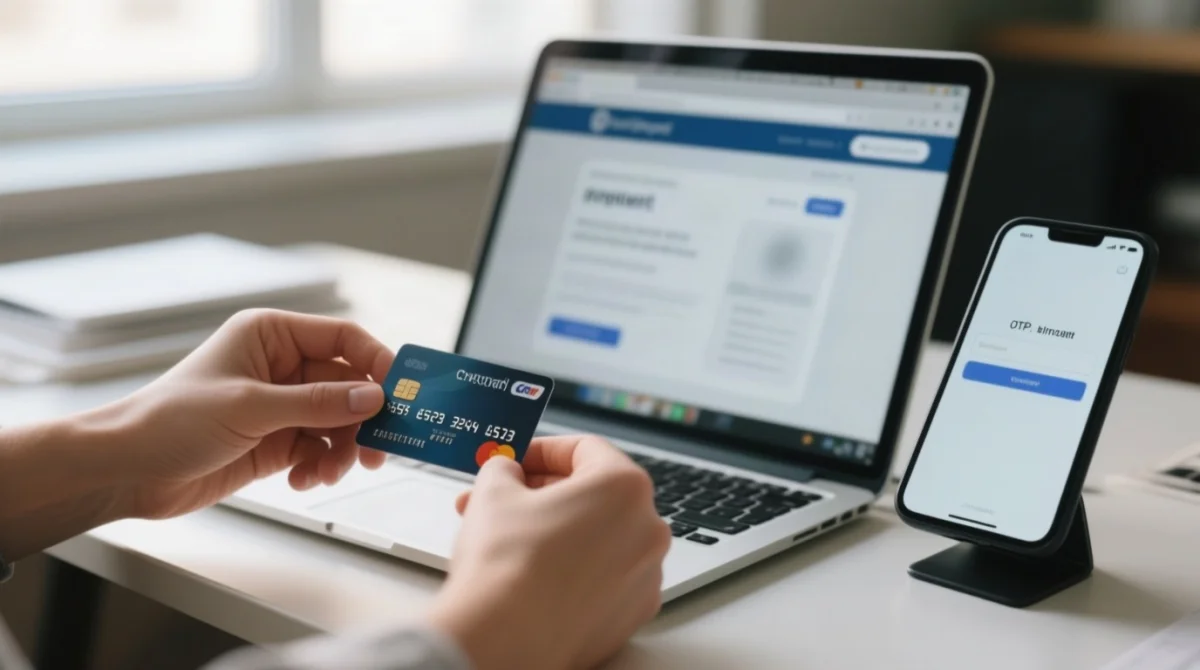
Verify card details
Cardholder name spelling must match bank records exactly; confirm the expiry date and CVV are correct.
Call your bank
Request pre-authorisation for the international transaction and ask for the decline reason code.
Clear browser cache and cookies
Stale session data frequently triggers timeout errors on the payment gateway.
Switch to desktop Google Chrome
The Djibouti eVisa portal works best on an updated desktop browser rather than mobile.
Disable VPN and AdBlock
Corporate proxies and browser extensions interfere with the 3D Secure verification flow.
Retry in a fresh session
Wait 20 to 60 minutes before retrying, and retry only once to avoid duplicate charges. Use the portal’s “resume application” feature instead of starting a new application.
3D Secure and OTP Authentication Errors
If 3D Secure (3DS) verification fails, request a new OTP code and complete the prompt on a desktop browser. 3D Secure standards are governed by EMVCo. Keep the checkout tab open throughout the process; mobile app-switching glitches commonly interrupt 3DS approval on the Djibouti eVisa portal.
Diagnosing Your Specific Error: What the Message Means
Each Djibouti eVisa error maps to a distinct cause: bank decline, 3DS failure, or session timeout.
| Error message | Most likely cause | Fix to try first |
|---|---|---|
| “Payment failed” / “Transaction declined” | Bank refused charge; UK banks flag Djibouti merchants as high-risk cross-border | Call bank to authorise, then retry same card |
| “Authentication failed” / “3DS failed” | 3D Secure (EMVCo standard) verification incomplete | Retry, complete prompt, or use desktop browser |
| Blank page / spinning wheel | Session expired or gateway timeout | Check email for confirmation; do not resubmit |
| Captcha not loading | JavaScript disabled or ad-blocker blocking widget | Refresh, enable JavaScript, disable extensions |
| “Service unavailable” | Maintenance window (server: EAT, UTC+3) | Wait 20 to 60 minutes, use “resume application” |
Captcha Errors and How to Get Past Them
The Djibouti eVisa captcha needs JavaScript and pop-ups enabled. Refresh the page, disable AdBlock and privacy extensions, and use Google Chrome on desktop.
Session Timeout and Portal Downtime
If the Djibouti eVisa portal times out, do not click Back or Refresh. Check email for confirmation first. Save your application data externally before starting payment to avoid losing progress after a session timeout.
Portal Down? Checking for Scheduled Maintenance
The Djibouti eVisa server runs on East Africa Time (UTC+3). Planned maintenance can cause blank screens or “Service unavailable” errors during UK evening hours. Retry once using the portal’s “resume application” feature, not a new application.
Browser & Device Requirements for the Djibouti eVisa Portal
Browser misconfiguration is a leading cause of Djibouti eVisa checkout errors. Use the latest Google Chrome on a desktop with JavaScript enabled, pop-ups allowed for the payment gateway, and VPN, AdBlock, and privacy extensions fully disabled before paying.
- Use an updated Google Chrome, Apple Safari, or Microsoft Edge desktop browser, not a mobile device.
- Enable JavaScript and allow pop-ups and redirects for the payment gateway domain.
- Disable VPN, corporate proxy, AdBlock, and privacy extensions before starting payment.
- Keep the checkout tab open throughout the entire 3D Secure process; do not switch apps or tabs.
Has the Djibouti eVisa payment failed after following all steps? Test with a completely different desktop (e.g. a public library computer) to rule out local browser conflicts.
When to Contact Djibouti Immigration About a Payment Problem
Escalate to Djibouti immigration when self-service fixes fail or you suspect a duplicate charge. Contact [email protected] with your passport number, application reference, error screenshots, and bank transaction evidence. This address is listed on the Djibouti government’s e-visa portal homepage (evisa.gouv.dj). Expect a response within 2 to 5 business days (East Africa Time, UTC+3).
Copy and paste the template below:
Subject: Payment Failure, Application Reference [your reference number]
Passport number: [your passport number]
Application reference: [your reference number]
Error message: [paste text or attach screenshot]
Bank transaction evidence: [attach screenshot, mask full card number]
As a last resort, UK cardholders can pursue a chargeback under the Consumer Rights Act or Section 75 of the Consumer Credit Act for credit card payments over £100. Pending authorization holds typically drop automatically within 3 to 7 business days for UK banks.
Preventing Duplicate Charges and Using Alternative Payment Methods
If charged twice for the Djibouti eVisa, stop retrying immediately, screenshot both bank transactions, and contact both Djibouti immigration and your card issuer.
A pending transaction is an authorization hold not yet captured; a posted transaction is captured by the portal. For UK banks, authorization holds typically drop automatically within 3 to 7 business days.
What to Do If You Were Charged Twice
Stop retrying
Stop all payment retry attempts to prevent further duplicate captures.
Screenshot evidence
Screenshot both bank transactions showing pending or posted status, masking the full card number.
Contact immigration
Contact [email protected] with your passport number, application reference, and transaction evidence.
Notify card issuer
Notify your UK card issuer; if the hold does not release, pursue a chargeback under the Consumer Rights Act.
Can You Use a Different Payment Method?
The Djibouti eVisa portal accepts Visa, Mastercard, and American Express. Debit cards may work, but prepaid and virtual cards are typically rejected. If one card fails, try a different card from a different issuing bank to bypass specific bank restrictions.
FAQ: Djibouti eVisa Payment Issues
What does ‘payment failed’ mean on the Djibouti eVisa site?
Your bank or the card network refused the charge. This is a collection error, not a visa rejection. Call your bank to authorise the transaction, then retry the same card.
What are the common reasons for Djibouti eVisa payment failure?
Six root causes: bank fraud blocks, 3D Secure timeouts, unsupported prepaid cards, currency mismatches, browser interference, and session expirations. UK banks often flag Djibouti merchants as high-risk.
What should I do after a Djibouti eVisa payment failure?
Call your bank to authorise the charge, then retry in Google Chrome on desktop with JavaScript enabled, pop-ups allowed, and VPN/AdBlock disabled. If you see a blank page, check email for confirmation before resubmitting.
What alternative payment methods does Djibouti eVisa accept?
The Djibouti government e-visa portal accepts Visa, Mastercard, and American Express. Prepaid and virtual cards are typically rejected. If one card fails, try a different card from a different bank.
Why did my Djibouti eVisa payment fail despite correct details?
Your bank may block the merchant descriptor on cross-border government charges. Additionally, USD settlement triggers foreign transaction fees and DCC surcharges that can exceed your card limit.
Why does the Djibouti eVisa payment fail with UK-issued cards?
UK banks apply geographic blocks on Djibouti merchants, flagging them as high-risk cross-border. Request the decline reason code from your bank to understand the specific block.
How do I fix a Djibouti eVisa payment failure quickly?
Verify card details, authorise with your bank, clear cache, switch to Google Chrome on desktop, and retry in a fresh session. Keep the checkout tab open throughout 3D Secure.
How can I check if my bank blocked the Djibouti eVisa payment?
Check your banking app for a pending authorization hold or posted transaction. If neither appears, contact your bank and request the decline reason code. Search your statement for “DJIBOUTI” or “E-VISA”.
How long does a pending authorization hold last after a failed Djibouti eVisa payment?
For UK banks, authorization holds typically drop automatically within 3 to 7 business days. If the hold persists, contact your card issuer to request a manual release or pursue a chargeback under the Consumer Rights Act.