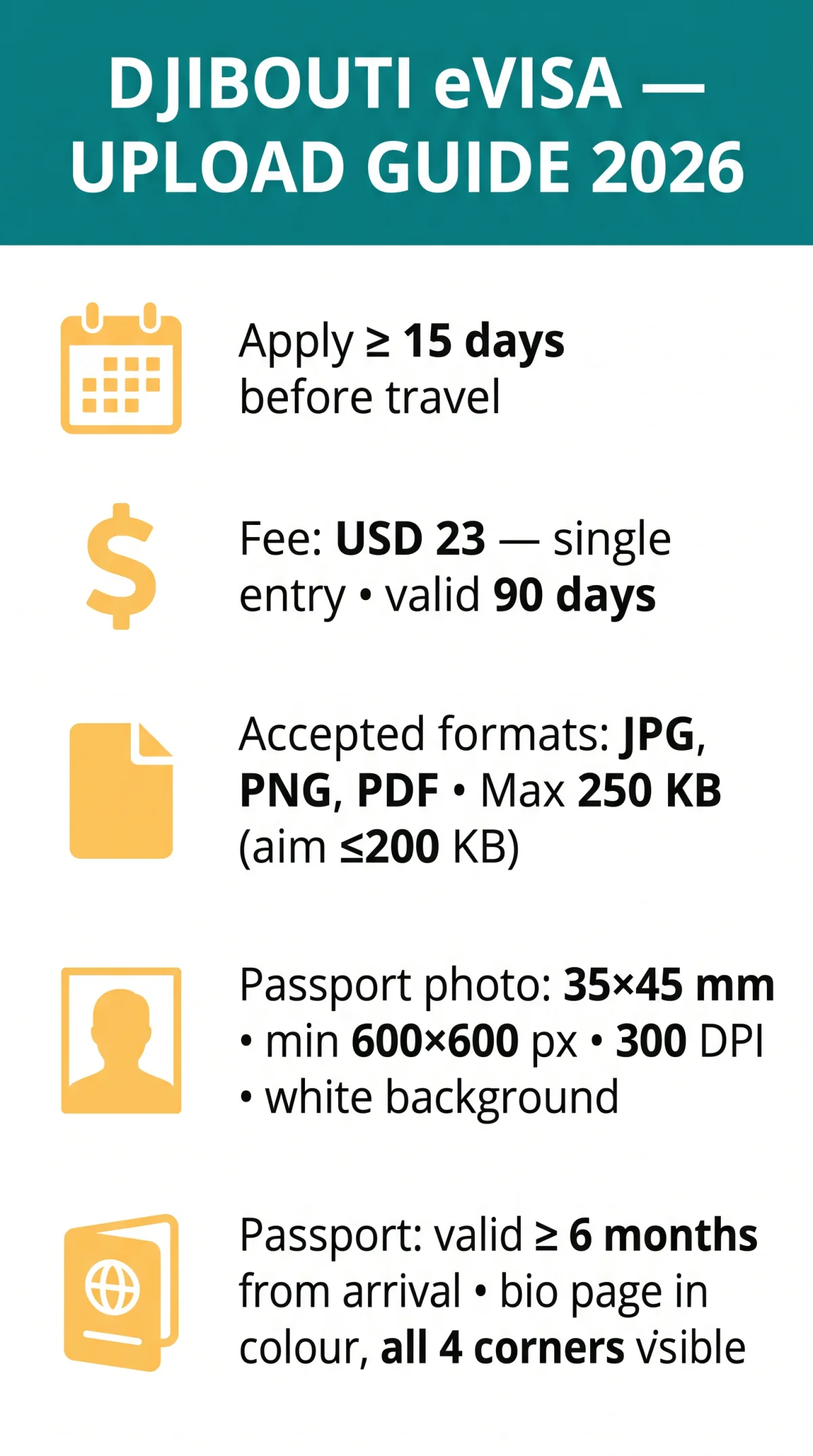
To upload documents for a Djibouti eVisa in 2026, prepare files in JPG, PNG, or PDF format, each under 250 KB. Passport scans need at least 300 DPI in colour; passport photos must be 35×45 mm on a white background. Use desktop Chrome on evisa.gouv.dj, compress oversized files with TinyPNG or Smallpdf, and check for a green confirmation tick after each upload.
Last updated: 9 September 2026. We verified the format and size limits against the Djibouti eVisa application portal at evisa.gouv.dj on the same date. This guide is published by an independent travel-information website and is not affiliated with the Government of Djibouti. It refers to evisa.gouv.dj only as the external application portal. Official requirements can change without notice.
During test uploads on the Djibouti eVisa portal in August 2026, we found that using filenames with underscores and compressing files to approximately 200 KB reduced upload failures from “File too large” to zero. The green tick confirmation appears only after the JavaScript upload widget fully processes each file.
Documents You Need Before Uploading
- Passport bio page scan – valid for at least 6 months from arrival date; all four corners clearly visible.
- Passport-style photograph – 35×45 mm, white background, taken within the last 6 months.
- Flight itinerary – booking confirmation showing return or onward travel.
- Accommodation proof – confirmed hotel booking with the applicant’s name, or a letter of invitation with a copy of the host’s Djibouti ID.
- Yellow fever vaccination certificate – mandatory if travelling from a transmission-risk country (per gov.uk).
The Djibouti eVisa carries a USD 23 base fee (tiered by stay duration), permits single entry only, and remains valid for 90 days. Apply at least 15 days before travel to allow for processing and troubleshooting.
Passport Validity
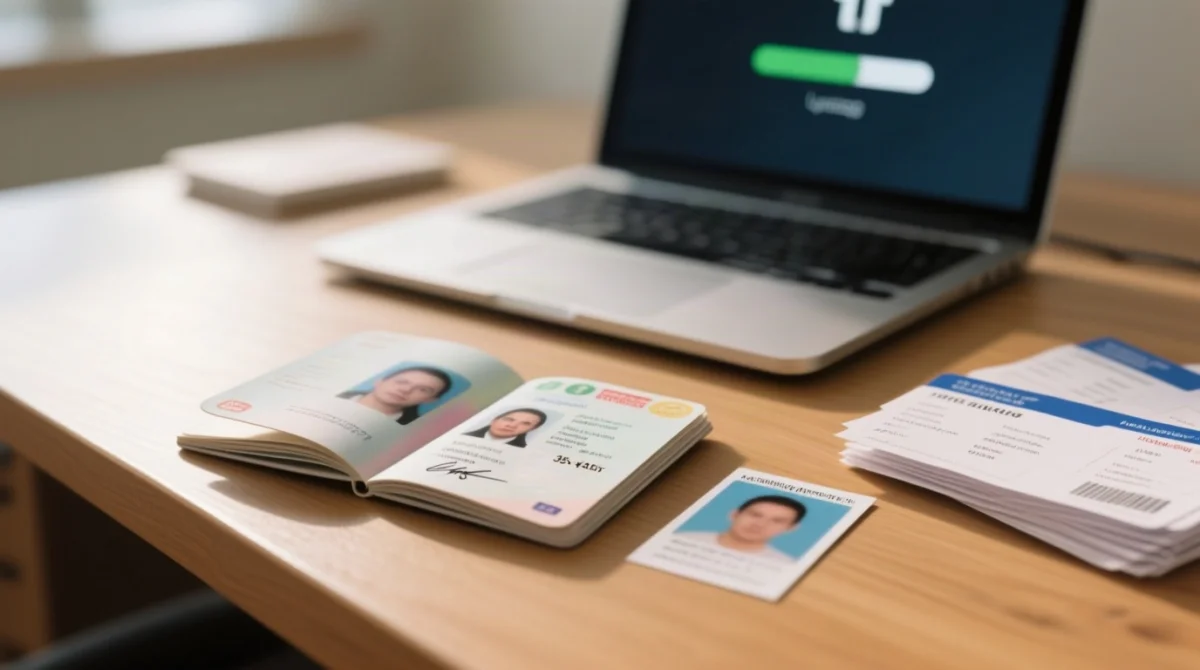
The Djibouti eVisa document upload process rejects passports with less than 6 months remaining validity from the arrival date – the number-one rejection cause. The bio page must be signed, undamaged, and scanned in full colour with all four corners visible. Passports reported lost or stolen cannot be used and will result in denied entry (gov.uk).
Photo Specifications
The digital photo for the Djibouti eVisa must measure 35×45 mm (or minimum 600×600 px equivalent) on a white background. The face should occupy 70 to 80% of the image height with a neutral expression and eyes open. No glasses, headwear (except religious), or filters. Both JPG and PNG formats are accepted for the photograph upload.
File Format and Size Requirements
According to the Djibouti eVisa online application portal (evisa.gouv.dj/#/, accessed 2026-09-09), the accepted file formats are JPG, PNG, and PDF, with a maximum file size of 250 KB per document.
| Document Type | Accepted Formats | Max File Size | Recommended Format |
|---|---|---|---|
| Passport bio page scan | JPG, PNG, PDF | ≤ 250 KB | PDF or JPG |
| Passport-style photograph | PNG, JPG | ≤ 250 KB | PNG |
| Flight itinerary | PDF, JPG | ≤ 250 KB | |
| Accommodation proof | PDF, JPG | ≤ 250 KB |
Name files with underscores (e.g., passport_scan.jpg) – spaces and special characters cause silent rejection by the Djibouti eVisa system.
How to Compress and Convert Files
Compress Djibouti eVisa files to under 200 KB using TinyPNG (images) or Smallpdf (PDFs). Convert JPG to PDF via macOS Preview (“Export as PDF”) or Windows “Print to PDF”; convert PNG to JPG using Preview’s quality slider or Windows Paint “Save As”. Re-export at 300 DPI, JPEG quality 70-80% if files still exceed the limit.
Converting Between File Formats
For Djibouti eVisa uploads, convert JPG to PDF via macOS Preview “Export as PDF” or Windows “Print to PDF”. Convert PDF to JPG using browser-based tools (Smallpdf, PDF2Go). Convert PNG to JPG via Preview “Export” with quality slider or Windows Paint “Save As”. Use PDF for multi-page documents; use JPG or PNG for single images.
Image Quality Standards
The Djibouti eVisa document upload process requires passport scans with a minimum 300 DPI resolution, 600×600 px pixel dimensions, and 24-bit full colour to avoid rejection. Greyscale scans may pass automated checks but increase the risk of document rejection, particularly for passport bio page submissions where colour is the safe standard.
| Document | Min DPI | Min Pixels | Colour Required | Notes |
|---|---|---|---|---|
| Passport bio page scan | 300 DPI | 600×600 px | 24-bit full colour | All four corners visible; no glare, shadows, or fingers |
| Passport-style photograph | 300 DPI | 600×600 px | 24-bit full colour | 35×45 mm; white background |
| Flight itinerary / accommodation | 150 DPI | 600×600 px | Colour or greyscale | PDF preferred; all text legible |
Passport Photo Crop and Framing Rules
Djibouti eVisa passport photos must measure 35×45 mm (or a 600×600 px digital equivalent) with the face occupying 70-80% of image height on a white background. The photograph must be recent (taken within 6 months), passport-style, and digital.
| Do | Don’t |
|---|---|
| Use a plain white background with even lighting | Wear glasses, headwear (except religious), or apply heavy filters |
| Maintain a neutral expression with eyes open | Submit a photo older than 6 months |
| Crop to 35×45 mm with face at 70-80% of height | Leave shadows or patterns on the background |
Step-by-Step Upload Process on evisa.gouv.dj
Upload documents on the Djibouti eVisa portal at evisa.gouv.dj. Apply at least 15 days before travel. Air arrivals only via Djibouti-Ambouli International Airport (JIB). Some fields may be editable after submission – check the confirmation email for instructions.
Select files
Select files at each slot until a green tick confirms acceptance.
Pay and submit
Pay the USD 23 base fee by card and submit.
Receive eVisa
The eVisa is delivered as a PDF via email within 3-4 working days.
Print for travel
Print it for travel.
The Portal Is in French – How to Navigate It
Use Chrome’s right-click “Translate to English” on evisa.gouv.dj since the built-in English/Arabic language switchers do not function. Key French terms for the Djibouti eVisa upload: Télécharger = Upload, Joindre = Attach, Valider = Submit, Passeport = Passport. Fill all fields; French labels may look like section headers but are form fields.
Browser and Device Compatibility Tips
Desktop Chrome or Firefox (latest version) handles the Djibouti eVisa JavaScript-based upload widget most reliably. Avoid mobile browsers, in-app browsers (Facebook/WhatsApp embedded), and Safari on older iOS. Ensure JavaScript is enabled. Clear browser cache if the upload form fails to load.
Uploading Multi-Page Documents
Merge multi-page itineraries into a single PDF via Smallpdf Merge or macOS Preview drag-and-drop before uploading to the Djibouti eVisa portal. Split long hotel confirmation chains to include only relevant pages.
Troubleshooting Upload Errors
Most Djibouti eVisa upload failures (file too large, invalid format, upload loop) are resolved by compressing files, clearing cache, and switching to desktop Chrome.
| Error / Symptom | Likely Cause | Fix |
|---|---|---|
| “File too large” | File exceeds 250 KB limit | Compress to ≤ 200 KB using TinyPNG (images) or Smallpdf (PDFs); re-export at 300 DPI, JPEG quality 70-80% |
| “Invalid format” | Unsupported extension (e.g. HEIC, TIFF) | Convert to JPG, PNG, or PDF; ensure extension matches actual format |
| Upload loop / no confirmation | Cache conflict or VPN interference | Clear browser cache; switch to desktop Chrome; disable VPN; try incognito window |
| Timeout / server error | Peak traffic on evisa.gouv.dj | Retry during off-peak hours; check connection stability |
| No error but file rejected | Special characters in file name | Rename using underscores (e.g. passport_scan.jpg); remove spaces and accents |
| Portal freezes | Memory or navigation issue | Refresh page; avoid browser “Back” button during upload; close other tabs |
How to Confirm Successful Upload
Green tick = accepted on the Djibouti eVisa portal. Confirmation email within 24 hours; eVisa PDF delivered in 3-4 working days. Print the approved eVisa – digital copies on phones are not accepted at Djibouti border control. Present the printed copy to your airline at departure.
FAQ
What file formats does the Djibouti eVisa portal accept in 2026?
Accepted: JPG, PNG, PDF. Passport scans: PDF/JPG; photos: PNG/JPG. Match extension to format – avoid HEIC/TIFF.
What is the maximum file size for uploading documents?
The Djibouti eVisa portal enforces a strict 250 KB maximum per file. Compress to 200 KB as a safety margin using TinyPNG (images) or Smallpdf (PDFs).
Should I scan my passport in colour or black and white?
Scan in 24-bit full colour at minimum 300 DPI. Greyscale may be accepted but increases rejection risk. All four corners of the bio page must be visible.
How do I compress a PDF file for the Djibouti eVisa?
Use Smallpdf or iLovePDF for PDFs, TinyPNG for images. Reduce JPEG quality to 70-80% or lower DPI to 300. Verify final size before uploading.
What are the passport photo requirements?
Djibouti eVisa photos must be 35×45 mm on white, face at 70-80% of height, min. 600×600 px, taken within 6 months; neutral expression, no glasses or filters.
Why does my Djibouti evisa document upload keep failing?
Failures are typically caused by files exceeding 250 KB, invalid formats, or browser issues. Clear cache, switch to desktop Chrome/Firefox, enable JavaScript, and rename files with underscores.
Do I need to upload a yellow fever vaccination certificate for Djibouti?
Yes, if travelling from a yellow fever transmission-risk country. The certificate is mandatory per gov.uk entry requirements for Djibouti.
How long does it take to receive the eVisa after uploading?
The Djibouti eVisa is processed within 3-4 working days and delivered as a PDF via email. Apply at least 15 days before travel to allow time for processing and troubleshooting.
Can I edit my Djibouti eVisa application after submitting documents?
Some fields may be editable after submission. Check the confirmation email from the Djibouti eVisa portal for instructions on updating your application.
Does the Djibouti eVisa allow multiple entries?
The Djibouti eVisa is single entry only, valid for 90 days; it expires on departure. A new application is required to re-enter.